Posters with readable text, made with Nano Banana 2.1
Misspelled headlines were the giveaway of AI posters. Nano Banana 2.1 renders text more reliably, so a title, a price list or a shop sign can come out right in the first pass. Here is how to ask for it.
Base 15 + referencias 0 + prompt 0 = 15 créditos
Las imágenes de referencia y las indicaciones más largas pueden agregar créditos. El total se muestra antes de generar.
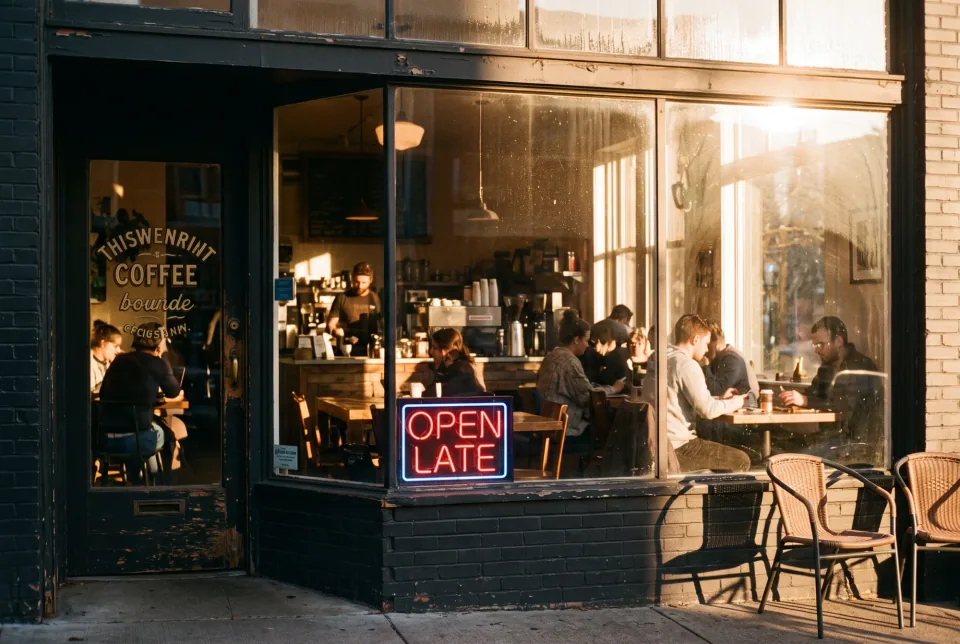
EjemploUna acogedora cafetería en la hora dorada, fotografía de película de 35 mm, luz cálida a través de la ventana, un letrero de neón en la ventana que dice "OPEN LATE"
Resultados reales
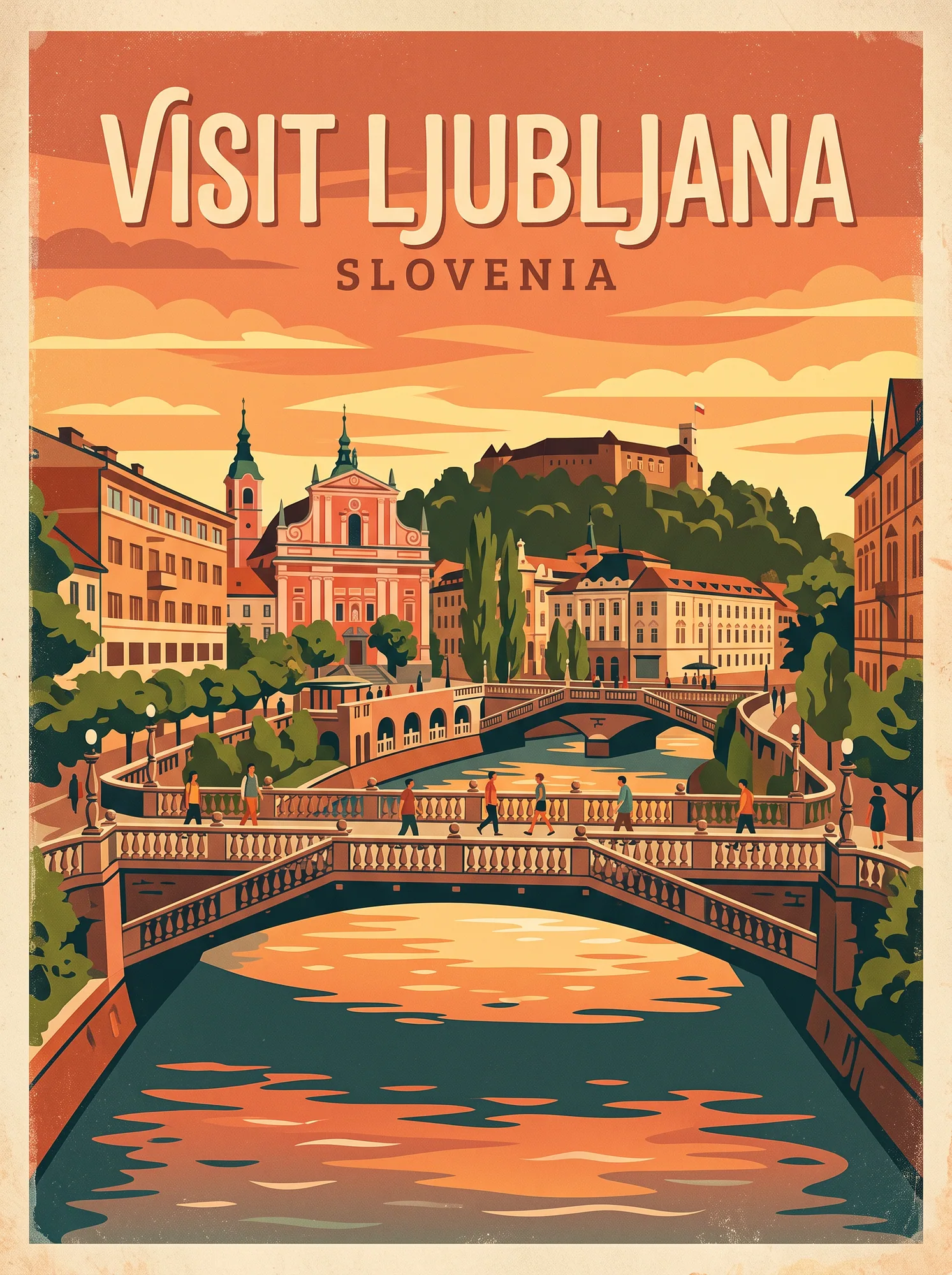
Retro travel poster
A bold headline inside a grainy mid-century illustration.
Prompt de esta imagen · 3:4
Retro travel poster of Ljubljana's Triple Bridge at sunset, bold headline "VISIT LJUBLJANA", warm grainy print texture, mid-century illustration style.
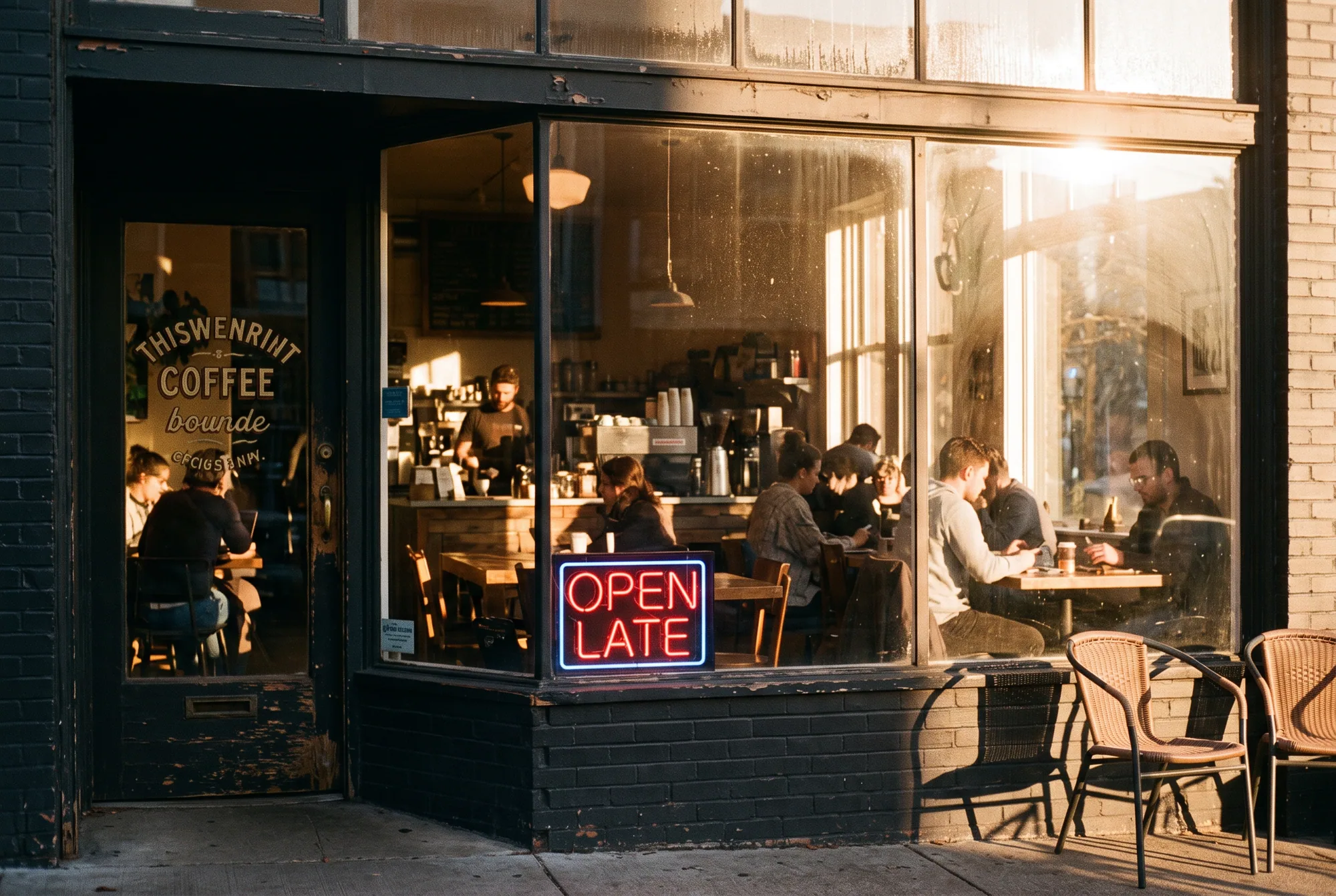
Neon sign that reads OPEN LATE
Text that is part of the scene, lit and reflected like a real object.
Prompt de esta imagen · 3:2
A cozy coffee shop at golden hour, 35mm film photo, warm light through the window, a neon sign in the window that reads "OPEN LATE"
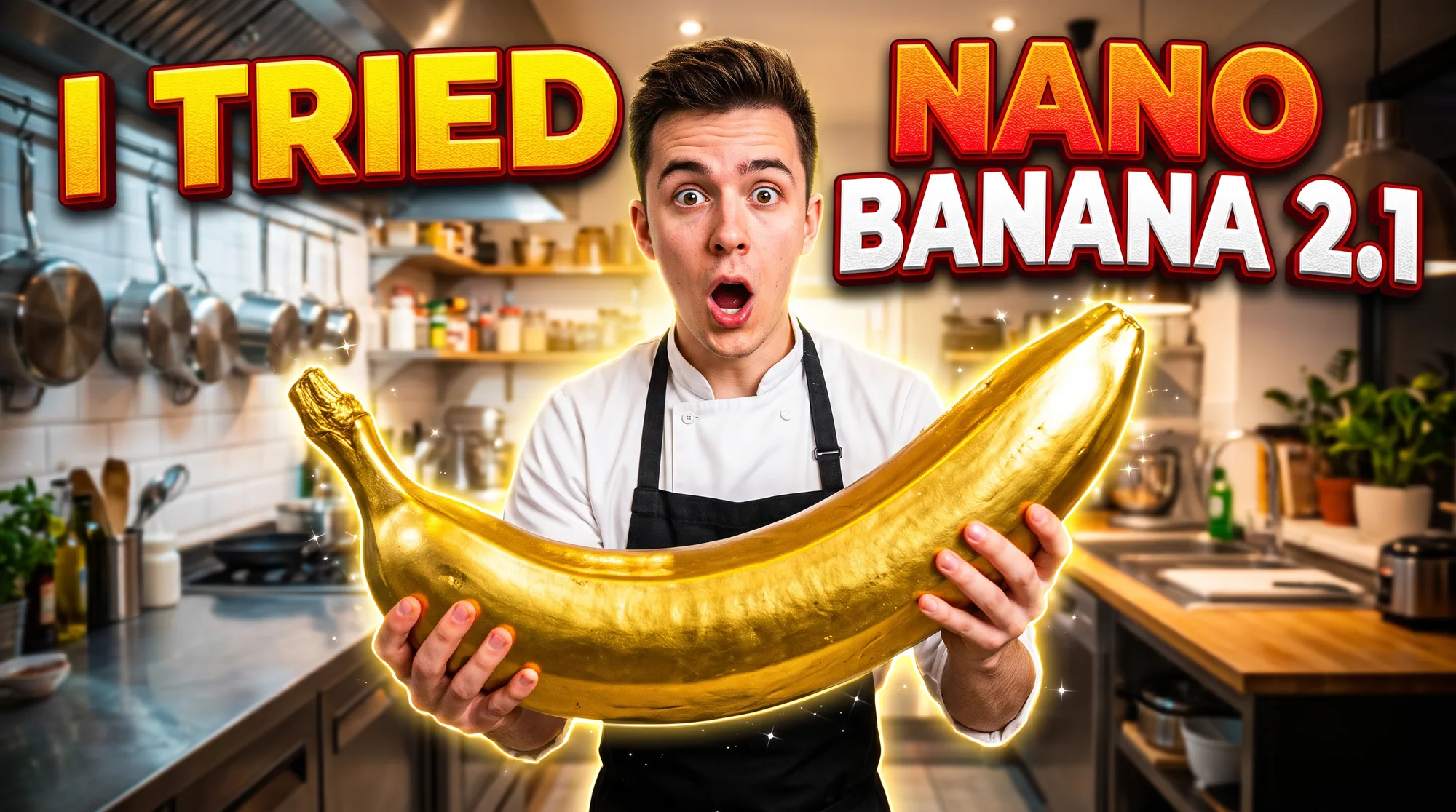
YouTube thumbnail with big type
High contrast and a punchy phrase that stays legible at small sizes.
Prompt de esta imagen · 16:9
YouTube thumbnail of a surprised young chef holding a giant golden banana in a bright kitchen, big bold text "I TRIED NANO BANANA 2.1", high contrast, punchy colors.
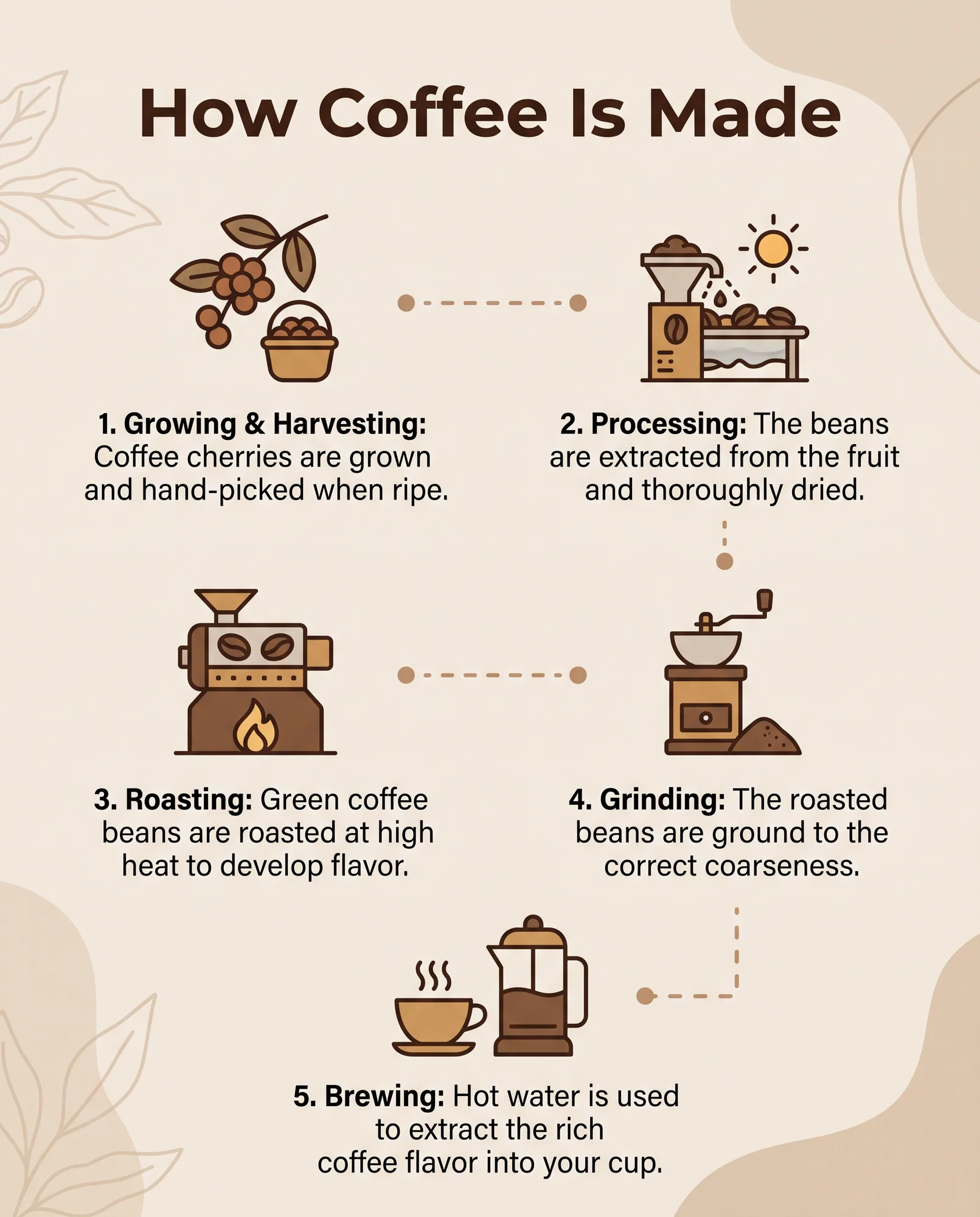
Infographic with numbered steps
A title and five captions, set in a consistent hierarchy.
Prompt de esta imagen · 4:5
Clean infographic titled "How Coffee Is Made" with five numbered steps from bean to cup, simple flat icons, short readable captions, beige and brown palette.
Prompts para probar
Gig poster with a time and place
3:4A headline plus a smaller second line.
Gig poster for "JAZZ AT MIDNIGHT", a saxophone silhouette in deep blue and gold, bold condensed headline, small line "Fri 9 PM, Blue Door Club", screen-print texture.
Chalkboard menu with prices
4:5Several lines of text and numbers.
Hand-lettered chalkboard cafe menu with the heading "TODAY" and four items with prices: Flat White 3.5, Cortado 3.2, Matcha 4.0, Croissant 2.8, neat chalk typography with small doodles.
Book cover
2:3A title and an author name in one design.
Book cover for a mystery novel titled "THE QUIET HOUSE", author name "Mara Lind", a dark window glowing in a snowy forest, elegant serif type, textured paper.
Add a headline to your own photo
Necesita una fotoImage to image keeps the photo and adds the lettering.
Add the headline "SUMMER SALE" in bold white letters across the top of this photo, make it look like part of the design, keep the photo unchanged.
Write the exact words in quotes
The model copies what is in quotation marks. Write the headline exactly as it should appear, including capital letters, and keep it short. Three to five words per text block is the sweet spot; long sentences are where mistakes begin.
Describe the typography in plain terms: bold condensed sans serif, thin wide letters, hand-lettered chalk, glowing chrome. Skip font names. Say where the text sits, for example across the top or at the bottom, and what it sits on.
Check the result like a proofreader
Read every letter and number before you publish, especially prices, dates and small print. If one word is wrong, generate again with the same prompt, or run an image edit that says: fix the text so it reads exactly "OPEN LATE" and change nothing else.
Cómo hacerlo
- 01
Choose the ratio for the format
3:4 or 2:3 for posters and covers, 16:9 for thumbnails, 4:5 for social posts. Set it before you generate.
- 02
Write the text in quotes
One block at a time, with capitalization as you want it, then the style and the layout.
- 03
Render, proofread, finish
A 1K draft costs 15 credits. Use 2K (25) or 4K (50) when the lettering is right and you want a print-ready file.
Consejos
Keep each text block short
A headline and one smaller line work well. Paragraphs of body copy belong in your layout tool, not the image.
Say what the text is made of
Neon tube, chalk, embossed gold, ink stamp. The material tells the model how the letters should look.
Use image edit to fix typos
If everything is right except one word, edit the result instead of starting over.
Preguntas frecuentes
- Can Nano Banana 2.1 spell text correctly?
- It renders text more reliably than earlier versions, and short quoted phrases come out right most of the time. Always proofread, because no image model is perfect on long or unusual text.
- Does it support non-English text?
- Yes, you can write the quoted text in other languages. Check characters with accents or complex scripts carefully.
- What size should I generate for print?
- Use 4K (50 credits) for the final render. See the 4K guide for ratios and workflow.
Sigue explorando
Crea tu primera imagen Nano Banana 2.1
Describe tu primera imagen y revisa el total de créditos antes de generarla.