
Product photos and scene composition with Nano Banana 2.1
Describe the set, the light and the mood, or upload the products you already have and ask for a scene around them. Nano Banana 2.1 keeps each product recognizable while it builds the photo around it.
Base 15 + références 0 + prompt 0 = 15 crédits
Des images de référence et des invites plus longues peuvent ajouter des crédits. Le total est affiché avant la génération.
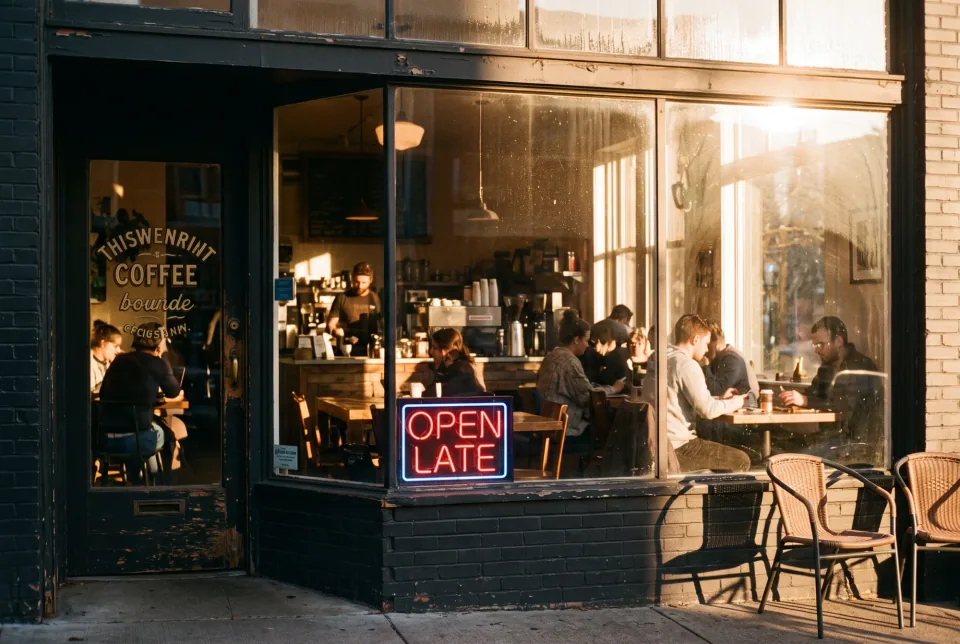
ExempleUn café confortable à l'heure d'or, une photo en 35 mm, une lumière chaude à travers la fenêtre, une enseigne au néon dans la fenêtre qui indique "OPEN LATE"
Résultats réels
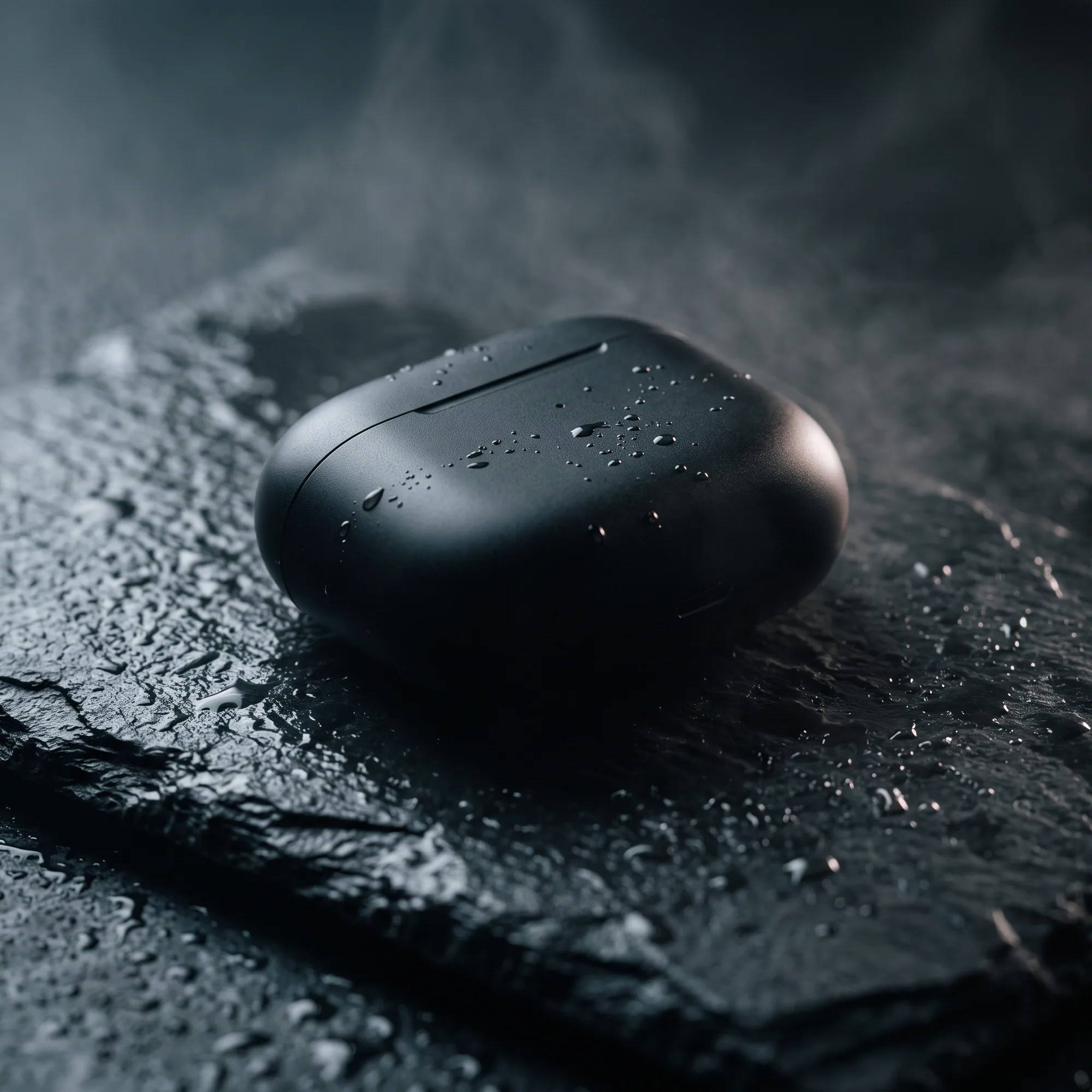
Earbud case on wet slate
Rim light, droplets and shallow depth of field, the kind of shot that normally needs a studio.
Prompt de cette image · 1:1
Studio product photo of a matte black wireless earbud case on wet slate, soft rim light, small water droplets, shallow depth of field, premium advertising style.
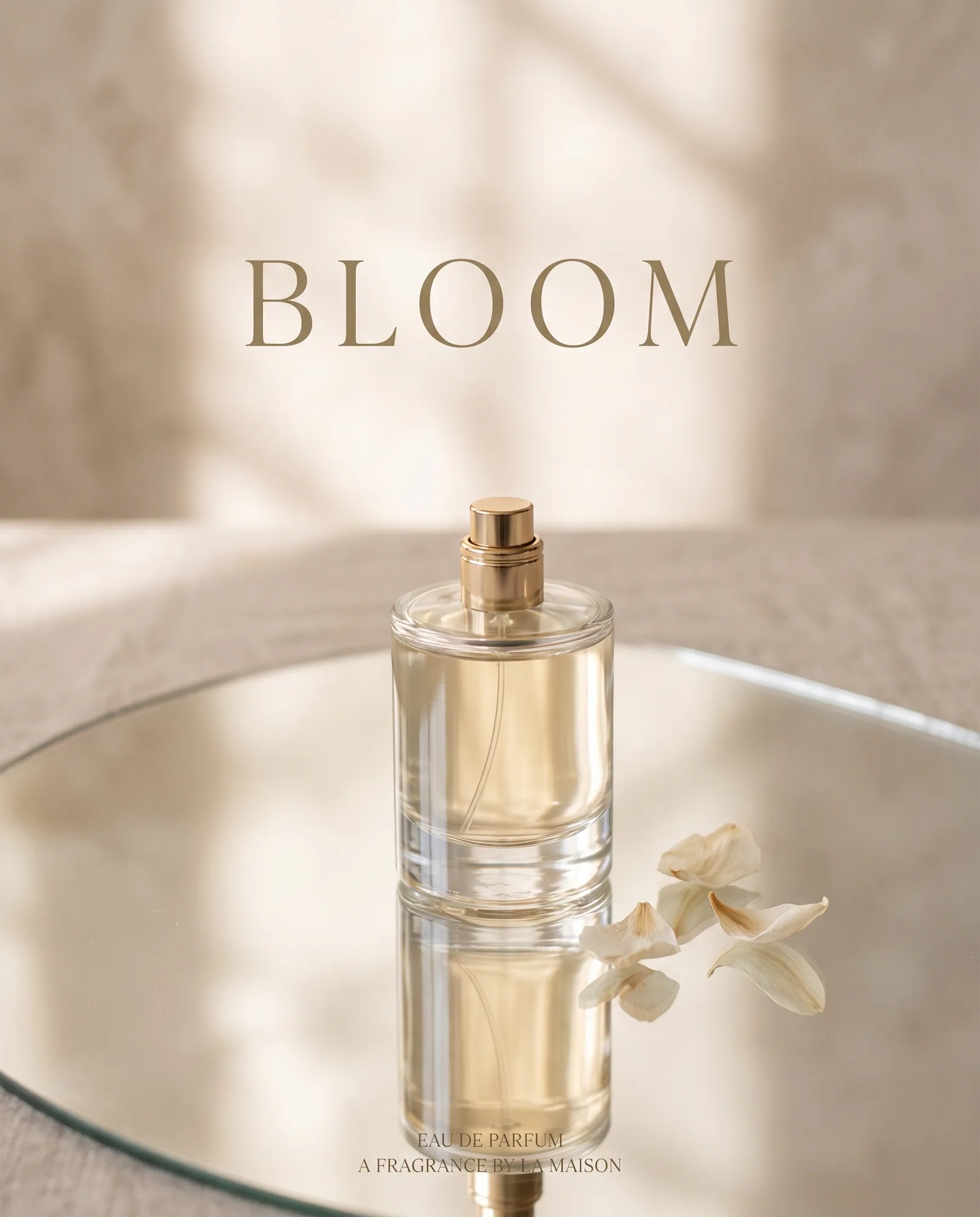
Perfume with a headline
A mirror surface, a restrained palette and a readable headline in one pass.
Prompt de cette image · 4:5
Minimalist ad for a glass perfume bottle on a mirror surface, soft morning light, beige and gold palette, headline text "BLOOM" in elegant letters
Prompts à essayer
Combine products into one scene
Besoin d'une photoUpload up to 14 photos. Say that every product must stay exactly as it appears.
Place the products from the reference photos together on a marble table in soft morning light, arranged as a tidy still life, keeping each product exactly as it appears.
White background listing shot
Besoin d'une photoThe clean, centered look marketplaces expect.
Put the product from the reference photo on a pure white seamless background with a soft contact shadow, centered, evenly lit, e-commerce listing style. Keep the product, label and colors exactly as they are.
Lifestyle scene
4:5Context sells. Place the product in a moment, not on a void.
A lit amber glass candle on a bedside table beside a linen book and a ceramic cup, warm evening light, cozy lifestyle product photography.
Packaging mockup
4:5Try label ideas before the print run.
Product mockup of a kraft paper coffee bag with a clean minimalist label reading "NORTH ROAST", standing on a wooden counter next to scattered beans, natural daylight.
Two ways to get a product photo
Text to image is for concepts: a perfume you have not shot yet, a packaging idea, a campaign mood. Write the object, the surface, the light and the camera feel, and you get a finished still.
Image to image is for real products. Upload the photos you have, describe the scene, and tell the model to keep the product exactly as it appears. This is the way to composite several items into one picture, for example a skincare set on a marble table.
A prompt formula that holds up
Product and material, surface, light, camera, style. For example: matte black earbud case, wet slate, soft rim light, shallow depth of field, premium advertising style. Short, concrete nouns beat adjectives like "beautiful" or "high quality".
Comment faire
- 01
Choose text or image mode
Use Text to Image for new concepts and Image to Image when a real product has to stay accurate.
- 02
Write the set and the light
Name the surface, the light direction and the camera feel. Add the exact label text in quotes if a label is visible.
- 03
Generate at 1K, finish at 2K or 4K
Check composition at 15 credits, then render the final at 2K (25) or 4K (50) for crisp edges and print.
Conseils
Protect the product explicitly
Add "keep the product, label and colors exactly as they are" whenever you upload a real item.
Photograph references on a plain surface
A shot from the front, in even light, gives the model a clear view of shape and label.
Use the right ratio for the channel
1:1 for marketplaces, 4:5 for social feeds, 16:9 for banners. The ratio is part of the composition, so set it before you generate.
Questions fréquentes
- Will the product look exactly like mine?
- When you upload photos and ask to keep the product unchanged, Nano Banana 2.1 holds shape, color and label closely. Always compare the result with your original before publishing, especially small print and logos.
- Can I put text and prices on the photo?
- Yes. Put the exact words in quotes. The poster and text guide covers how to get clean lettering.
- Can I use the images commercially?
- Yes, subject to our Terms of Service and Google's Generative AI Prohibited Use Policy. Make sure you have the rights to any product or brand you upload.
Continuer
Créez votre première image Nano Banana 2.1
Décrivez votre première image et vérifiez le total des crédits avant de la générer.