Nano Banana 2.1 API
The Gemini API model ID is gemini-nano-banana-2.1. With a key from Google AI Studio, your server can send a prompt to generateContent and save the returned image. The examples below cover a text prompt and a photo edit.
基本 15 + 参照画像 0 + プロンプト 0 = 15 クレジット
参考画像や長いプロンプトにはクレジットが追加される場合があります。 合計は生成前に表示されます。
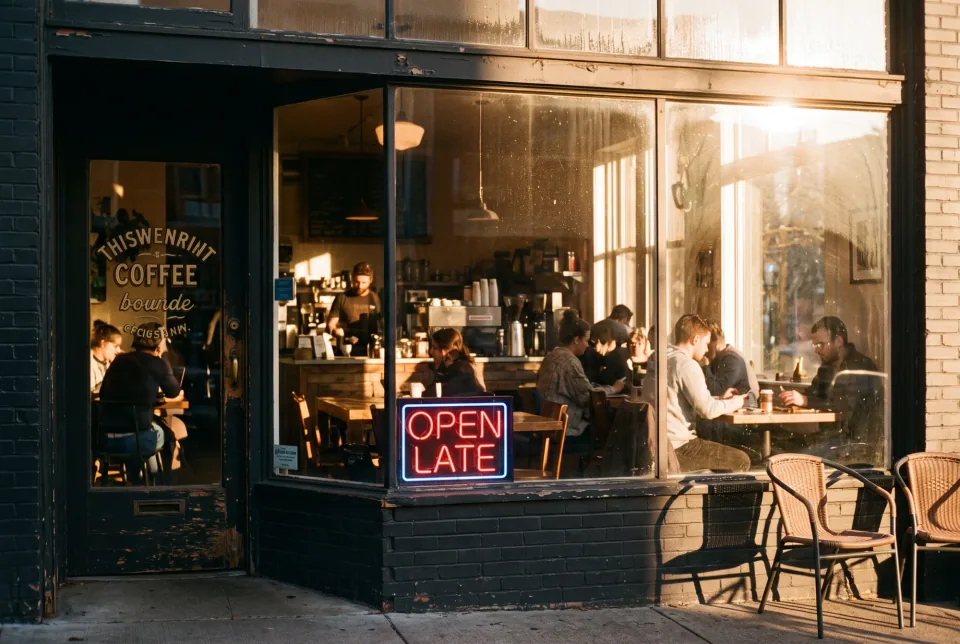
例ゴールデンアワーの居心地の良い喫茶店、35mmフィルムの写真、窓から差し込む暖かい光、窓には"OPEN LATE"と書かれたネオンサイン
実際の生成結果
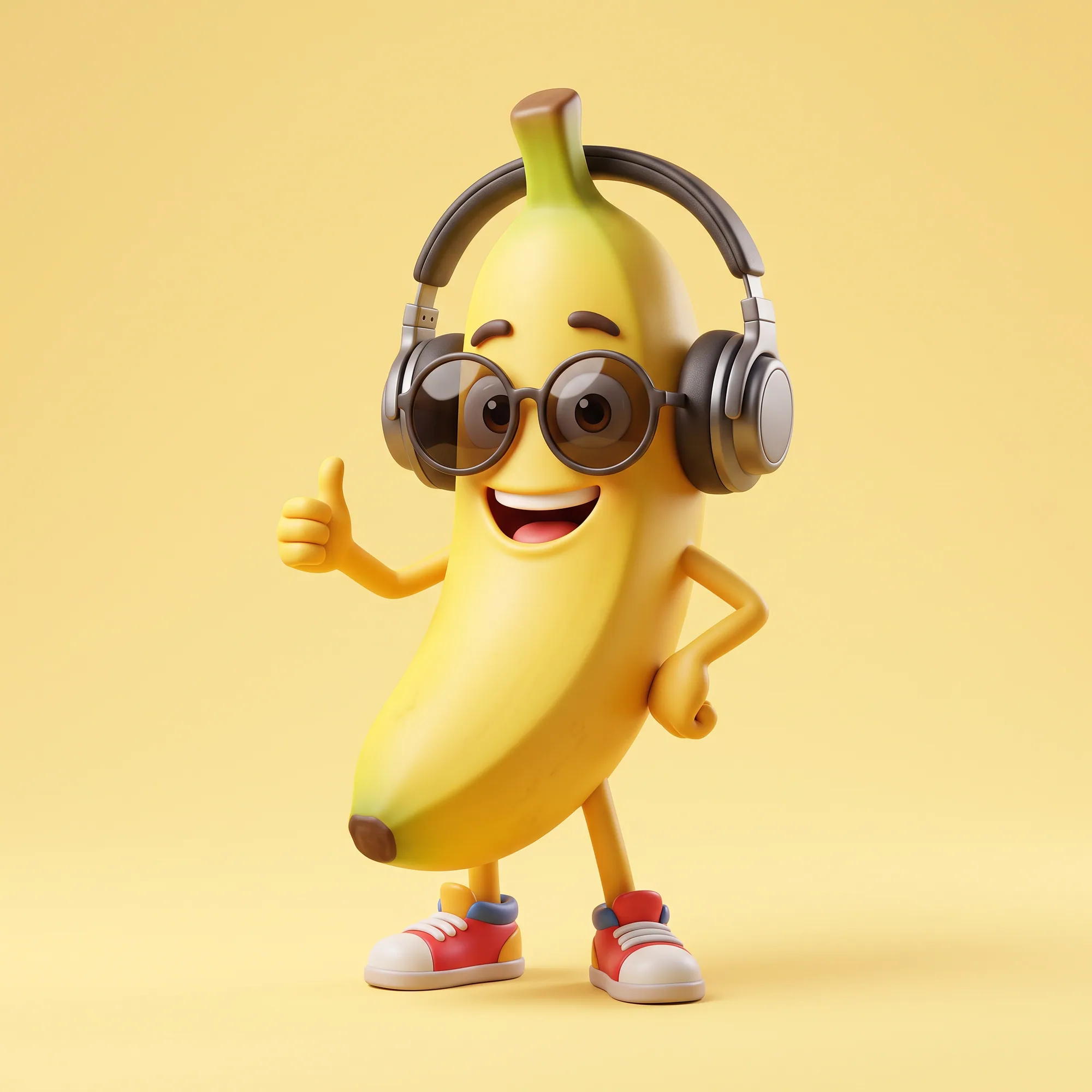
Prompt prototyped in the generator
A 3D mascot made with Nano Banana 2.1. Use the same prompt in the request below.
この画像のプロンプト · 1:1
A friendly 3D banana mascot wearing round sunglasses and headphones, studio lighting, pastel yellow background, animated film style
What this site offers
You can test a prompt in this site’s web generator using site credits. For calls from your own app, create a key for a billing-enabled project in Google AI Studio. Google bills the project that owns the key.
Options that matter
responseModalities must include IMAGE. imageConfig.aspectRatio accepts ratios such as 1:1, 16:9, 9:16, 4:3, 3:4, 3:2, 2:3, 5:4, 4:5 and 21:9, plus the 4:1, 8:1, 1:4 and 1:8 strips. imageConfig.imageSize selects 1K, 2K or 4K. For editing, add up to 14 reference images as inlineData parts before the text part.
The response contains candidates with parts. Image parts carry base64 data in inlineData. Skip any interim images flagged as thoughts when saving the output. If no image comes back, read promptFeedback.blockReason and candidate.finishReason.
Request examples
Set GEMINI_API_KEY in your server environment. The curl and Node.js examples pass it to Google in the x-goog-api-key header.
curl -s "https://generativelanguage.googleapis.com/v1beta/models/gemini-nano-banana-2.1:generateContent" \
  -H "x-goog-api-key: $GEMINI_API_KEY" \
  -H "Content-Type: application/json" \
  -d '{
    "contents": [{
      "role": "user",
      "parts": [{ "text": "A cozy coffee shop at golden hour, 35mm film photo" }]
    }],
    "generationConfig": {
      "responseModalities": ["TEXT", "IMAGE"],
      "imageConfig": { "aspectRatio": "3:2", "imageSize": "2K" }
    }
}'import { writeFile } from 'node:fs/promises';
const model = 'gemini-nano-banana-2.1';
const res = await fetch(
`https://generativelanguage.googleapis.com/v1beta/models/${model}:generateContent`,
{
method: 'POST',
headers: {
'Content-Type': 'application/json',
'x-goog-api-key': process.env.GEMINI_API_KEY,
},
body: JSON.stringify({
contents: [{ role: 'user', parts: [{ text: 'A friendly 3D banana mascot, studio lighting' }] }],
generationConfig: {
responseModalities: ['TEXT', 'IMAGE'],
imageConfig: { aspectRatio: '1:1', imageSize: '1K' },
},
}),
}
);
if (!res.ok) throw new Error(await res.text());
const data = await res.json();
const parts = data.candidates?.[0]?.content?.parts ?? [];
// Skip interim "thought" images, keep the final one.
const image = parts.find((p) => p.inlineData?.data && !p.thought);
if (!image) throw new Error('no image returned');
await writeFile('mascot.png', Buffer.from(image.inlineData.data, 'base64'));{
"contents": [{
"role": "user",
"parts": [
{ "inlineData": { "mimeType": "image/jpeg", "data": "<base64 of your photo>" } },
{ "text": "Replace the background with a minimalist white studio. Keep the person exactly the same." }
]
}],
"generationConfig": {
"responseModalities": ["TEXT", "IMAGE"],
"imageConfig": { "aspectRatio": "4:5", "imageSize": "2K" }
},
"tools": [{ "googleSearch": {} }]
}手順
- 01
Prototype the prompt
Use the generator on this page. Settle the prompt, the ratio and the resolution before writing code.
- 02
Create a Gemini API key
Create the key in Google AI Studio and keep it on your server. Never ship it in browser code.
- 03
Send the request and store the image
Decode the base64 data and save it to your own storage. Handle errors and blocked prompts explicitly.
コツ
Keep the key on the server
Call the API from your backend and expose your own endpoint to the front end.
Set timeouts and retries
Image generation takes longer than a typical API call. Use a generous timeout and retry only on transient errors.
Mind the cost of 4K
Draft at 1K and render the final at 4K, as in the web generator.
よくある質問
- Does NanoBanana 2.1 offer an API?
- No. The site is a web generator with credits. To call Nano Banana 2.1 from code, use the Gemini API with your own key.
- Which model ID should I use?
- Use gemini-nano-banana-2.1. In a generateContent REST request, the model ID goes in the URL between models/ and :generateContent.
- How do I get 4K output from the API?
- Set generationConfig.imageConfig.imageSize to "4K". Valid values are 1K, 2K and 4K.
- Can I edit existing photos through the API?
- Yes. Send the photo as an inlineData part followed by the text instruction. The example above shows the shape.
関連ガイド
最初の Nano Banana 2.1 イメージを作成する
作成したい画像を説明し、生成前に必要なクレジット数を確認してください。