Generate 4K images with Nano Banana 2.1
Pick 1K for drafts, 2K for the web and 4K when detail matters: prints, large banners, product zooms and wide panoramas. Resolution and ratio are set per image, so you pay for 4K only on the frames that need it.
기본 15 + 참조 이미지 0 + 프롬프트 0 = 15 크레딧
참조 이미지와 긴 프롬프트에는 크레딧이 추가될 수 있습니다. 생성하기 전에 합계가 표시됩니다.
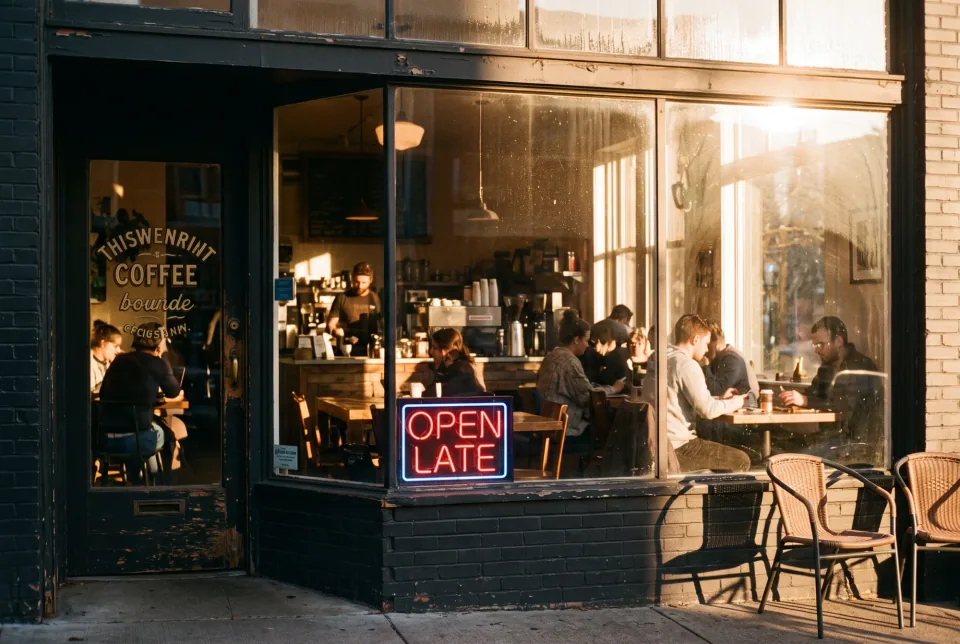
예골든 아워의 아늑한 커피숍, 35mm 필름 사진, 창문을 통해 들어오는 따뜻한 빛, "OPEN LATE"라고 적힌 창문의 네온사인
실제 결과
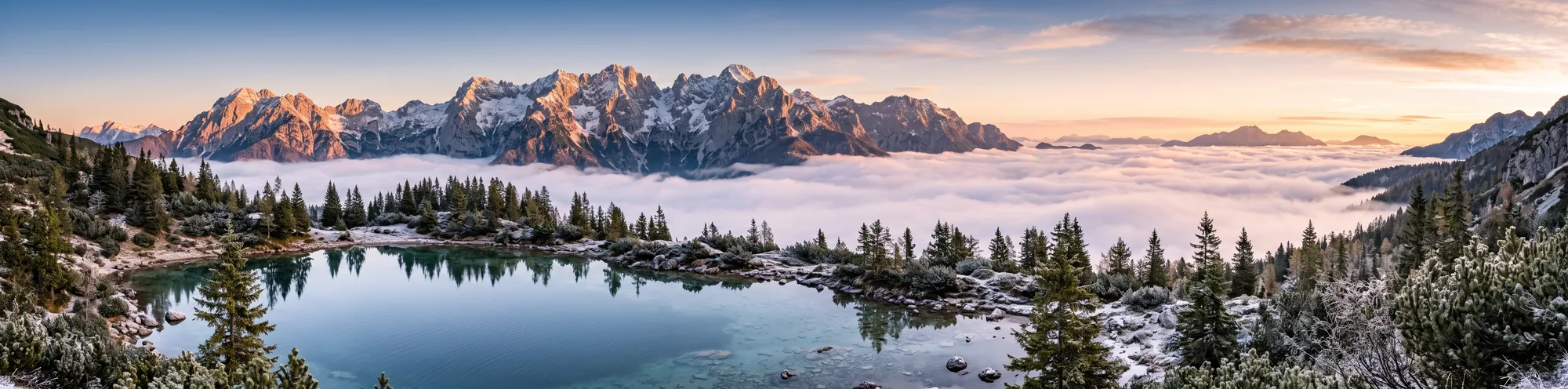
Ultra-wide Alpine panorama, 4:1
Wide strips are where resolution pays off. The example is stored at web size on this page.
이 이미지에 사용한 프롬프트 · 4:1
Ultra-wide panorama of the Julian Alps at sunrise above a sea of clouds, an alpine lake in the foreground, crisp detail, landscape photography.
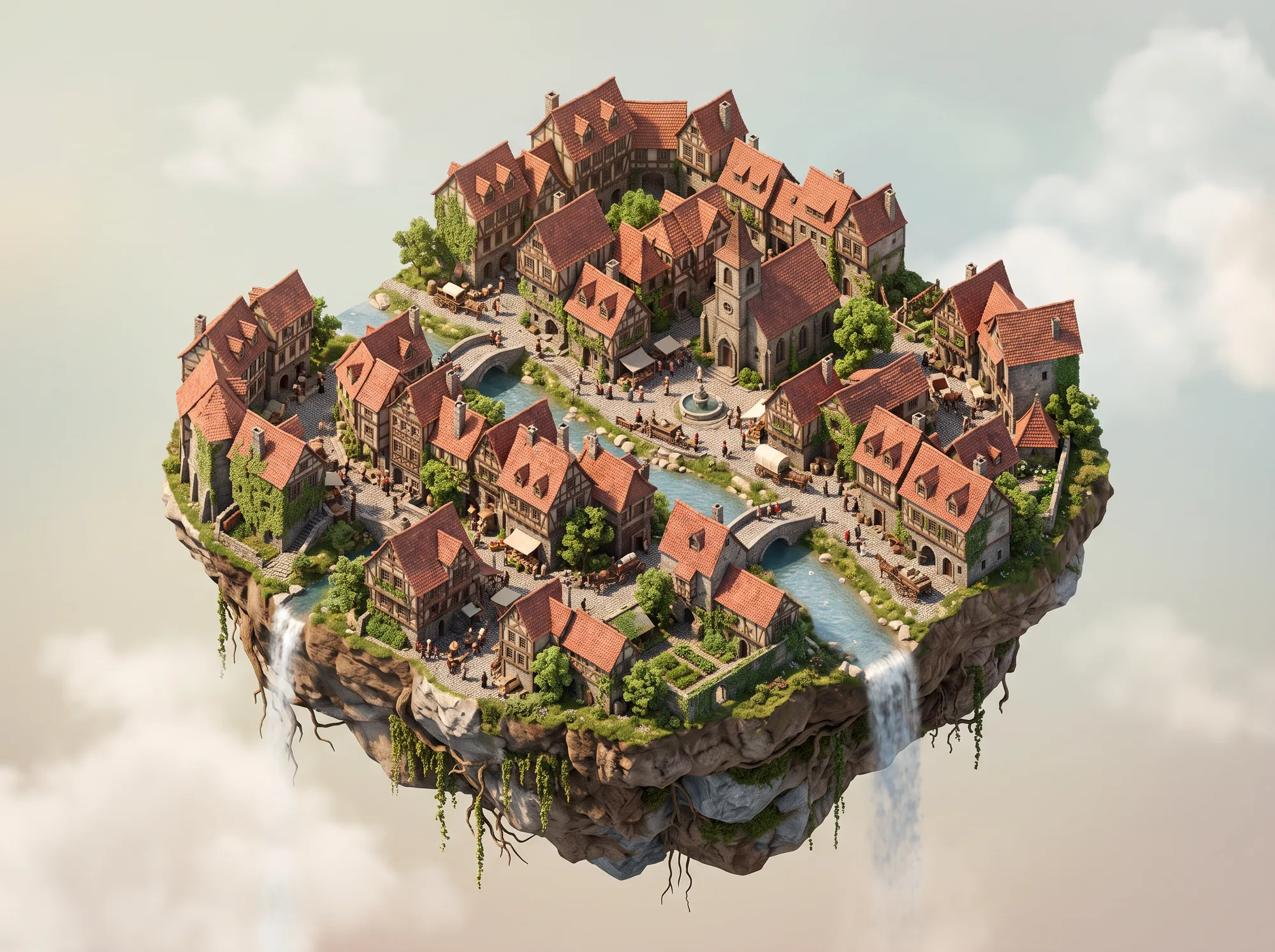
Isometric old town diorama
Dense small details such as roofs, boats and windows are what 4K keeps sharp. Stored at web size here.
이 이미지에 사용한 프롬프트 · 4:3
Isometric miniature of a small European old town on a floating island, a river and red-roof houses, soft daylight, highly detailed diorama
시도해 볼 프롬프트
Drone shot of a lagoon
16:9Gradients and fine texture.
Aerial drone photo of a turquoise lagoon with white sand and a small wooden boat, gradient water colors, crisp detail.
Wide cherry blossom river, 21:9
21:9A cinematic banner crop.
Cherry blossom trees along a quiet river in spring, petals floating on the water, a small stone bridge, soft pastel light, wide landscape.
Macro watch
3:2Reflections and tiny engraving show the difference.
Close-up macro photo of a steel wristwatch on dark velvet, a single warm spotlight, sharp reflections on the sapphire glass, shallow depth of field.
All 15 aspect ratios
Nano Banana 2.1 supports auto, 1:1, 4:5, 5:4, 3:4, 4:3, 2:3, 3:2, 9:16, 16:9 and 21:9, plus the extreme strips 4:1, 8:1, 1:4 and 1:8 for panoramas, banners and tall pins. Auto lets the model decide, or matches your reference photo when you edit.
A draft-to-final workflow
Write the prompt and render at 1K to check the composition. When the framing and content are right, run the same prompt at 4K. This keeps experiments cheap and spends the larger credit amount only once.
The costs above are the default prices for the base model. References and long prompts can add a little, other models have their own rates, and the exact total is always shown before you generate.
Resolution and cost on this site
| Output | Best for | Credits |
|---|---|---|
| 1K | Drafts, prompt testing, social posts | 15 |
| 2K | Web pages, presentations, listings | 25 |
| 4K | Prints, large banners, zoomable product photos | 50 |
진행 방법
- 01
Set the ratio first
Choose the ratio for the final use. A 21:9 or 4:1 crop is a different composition from a 1:1 square.
- 02
Draft at 1K
Check subject, framing and text at 15 credits.
- 03
Render the final at 4K
Switch resolution to 4K (50 credits) and generate. The 4K file is saved to your private My Images history.
팁
Do not use 4K for every try
It costs well above a 1K draft (50 credits against 15). Spend it on the final.
Ask for detail you want to keep
Words like crisp detail, fine texture and sharp focus steer the model toward content that survives zooming.
Pick the ratio for the platform
16:9 for video and slides, 9:16 for stories, 21:9 for cinematic banners, 4:1 for site headers.
자주 묻는 질문
- Does Nano Banana 2.1 really output 4K?
- Yes. You can choose 1K, 2K or 4K for each image. The example images on this page are stored at web size, so open the generator to see a full-resolution result.
- Which ratios can I use at 4K?
- Every ratio on the list, including 4:1, 8:1, 1:4 and 1:8. Nano Banana Pro does not offer those four strips.
- How many credits does a 4K image cost?
- The base Nano Banana 2.1 price is 50 credits at 4K. References, longer prompts and other models can change the total, and you see it before generating.
더 알아보기
첫 번째 Nano Banana 2.1 이미지 만들기
만들고 싶은 첫 이미지를 설명하고 생성 전에 필요한 총 크레딧을 확인하세요.