
Change a photo background with Nano Banana 2.1
Upload a photo, say what the background should become, and Nano Banana 2.1 edits only that part. The subject stays, the light and shadows are rebuilt to fit the new scene. Try it below.
基礎 15 + 參考圖 0 + 提示詞 0 = 15 點數
參考圖和較長的提示詞可能增加點數,生成前會顯示完整費用。
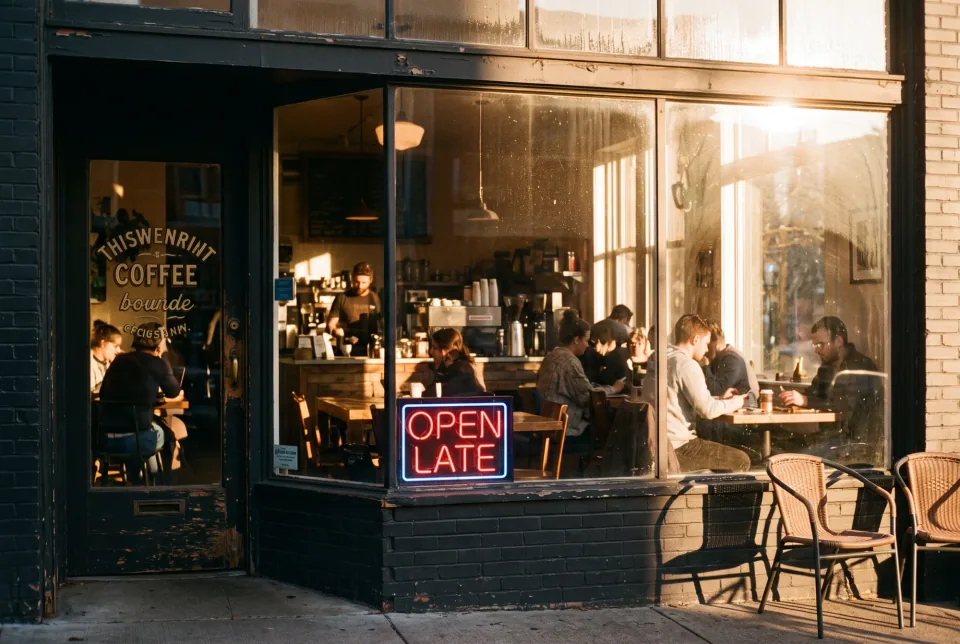
示例黃昏時分溫馨的咖啡館,35mm 膠片照片,暖光透過窗戶,窗上的霓虹燈寫著 "OPEN LATE"
真實效果
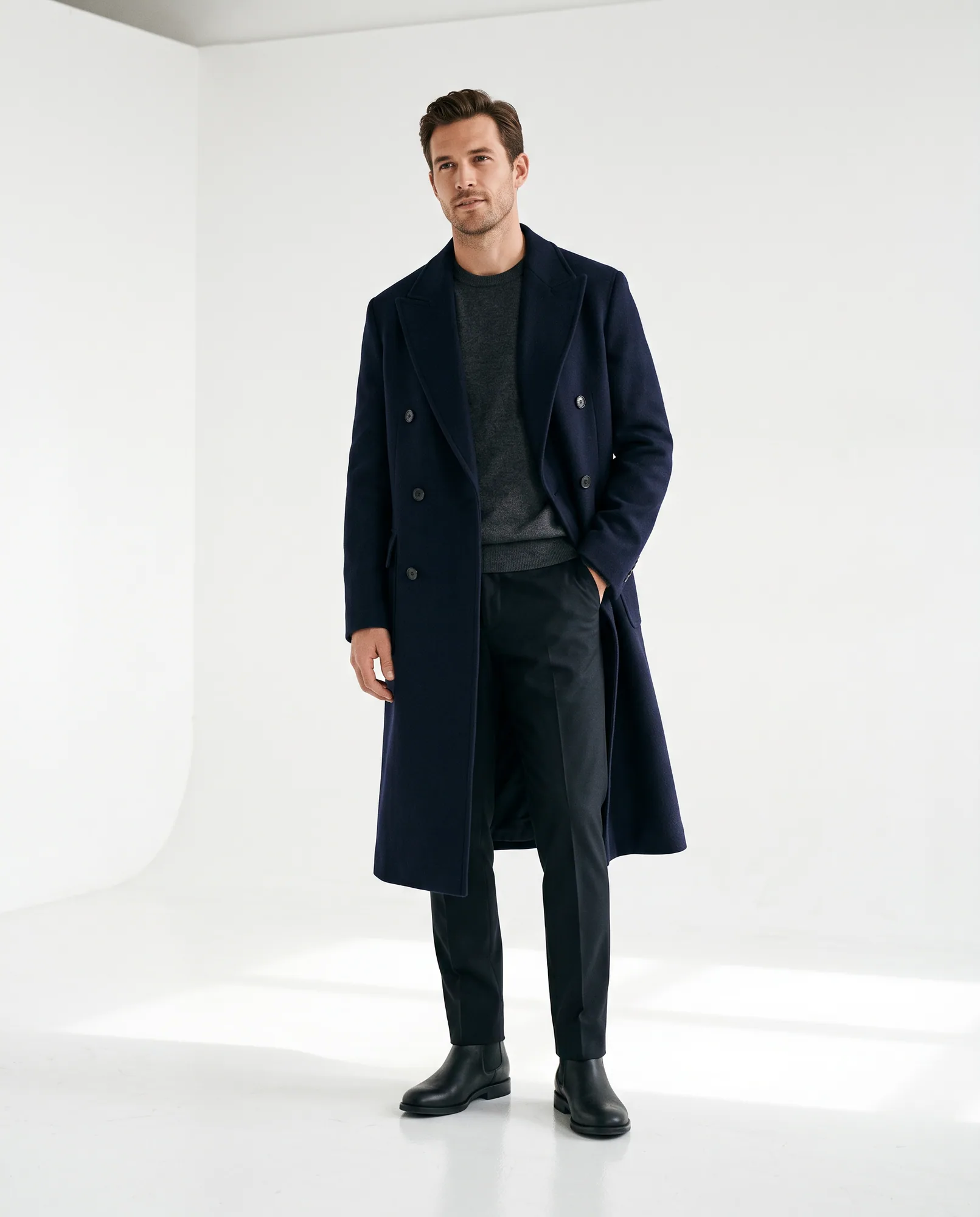
Full-length shot in a seamless white studio
A clean backdrop with natural floor shadows, the look most people ask for when they want to change a background.
這張圖使用的提示詞 · 4:5
Full body fashion photo of a man in a navy wool overcoat standing in a minimalist white photo studio, soft natural shadows on the floor, clean seamless background, professional editorial photography.
可以試試的提示詞
Clean studio background
需上傳照片The safest start for portraits and profile pictures.
Replace the background with a minimalist white studio and soft natural shadows. Keep the person, pose and clothing exactly the same.
Plain grey backdrop
需上傳照片For product listings, ID-style photos and team pages.
Place the subject in front of a plain light grey seamless backdrop with even soft lighting. Remove every object behind them, keep the hair edges natural and leave the person unchanged.
New location with matched light
需上傳照片Naming the light is what makes the composite believable.
Move the subject to a sunny beach at golden hour. Match the light direction, color and shadows to the new scene so the person looks like they were photographed there. Do not change the face or clothing.
Day to night
需上傳照片Change the whole mood while the buildings stay put.
Turn this daytime photo into a night scene with warm lit windows, blue hour sky and gentle street lights, keeping the buildings and composition identical.
Why this works better than cutting out the subject
A classic cutout leaves you with hard edges, wrong shadows and a subject lit from the wrong side. Nano Banana 2.1 is an image editing model, so it redraws the surroundings and the contact points together: the floor shadow, the color spill on hair and the reflections on clothing.
The model can also edit a selected region without touching the rest of the picture, which is why the face, pose and outfit survive a change that affects most of the pixels.
What to write in the prompt
Name the new background in concrete terms, then state what must not change. "Keep the person, pose and clothing exactly the same" is the sentence that protects the subject. For a composite into a real-looking place, name the light too, for example golden hour from the left, overcast daylight or warm indoor lamps.
操作步驟
- 01
Switch to Image to Image
Open the generator and choose Image to Image, then upload your photo. You can add up to 14 images if you want to bring in a second subject or a reference for the new scene.
- 02
Describe the new background
Start from one of the prompts above. Keep it to the background and add a line about what stays the same.
- 03
Pick a ratio and resolution
Auto keeps your original proportions. Use 1K to test, then run the final at 2K (25 credits) or 4K (50 credits). The total is shown before you generate.
技巧
Start from a sharp subject
Clear edges around hair and hands give the model something to hold on to. Heavy motion blur is hard to preserve.
Change one thing at a time
Swap the background first. If you also want a different outfit, do it in a second edit so each step is easy to judge.
Match the light
A subject lit by a window will not look right on a night street. Pick backgrounds that are lit from the same side, or say how the light should change.
常見問題
- Can I change the background of a portrait without changing the face?
- Yes. Say that the person, pose and clothing must stay exactly the same. Nano Banana 2.1 is built for targeted edits, so the face stays recognizable. If anything drifts, run the edit again with that sentence made stricter.
- Does it work for product photos?
- Yes, a plain backdrop or a styled surface both work. See the product photography guide for scene composition with several items.
- How much does one background edit cost?
- An image starts at 15 credits at 1K, 25 at 2K and 50 at 4K. References and long prompts can add to that, and the exact total appears before you generate. Failed generations are refunded automatically.
繼續了解
生成你的第一張 Nano Banana 2.1 圖片
描述你想生成的第一張圖片,生成前即可查看完整點數費用。